221 results for "":
Fast font packing for fun and profit
Being creative is hard work, let’s go optimizing instead! My graphics engine dye was pretty naive about displaying text, and it was wasteful. Let’s see how I made it all better with this one weird tip.
Disclaimer: Even after a few years I’m still very much an OpenGL newbie. Please don’t hit me with crowbars.
Once upon a time, OpenGL was easy to use - and also falling out of relevancy as far as high-performance 3D graphics were concerned. But it wasn’t all bad! You could basically pick up any library out there and integrate it with your existing GL project. Not that it’s a good idea, but it usually just worked.
NeverJam: the game jam jam game
Our January project was ambitious: a 2D puzzle game, a-la lemmings with a twist, with big and numerous levels. And of course, all using our homegrown tools, from the compiler to the level editor to the UI system and game framework.
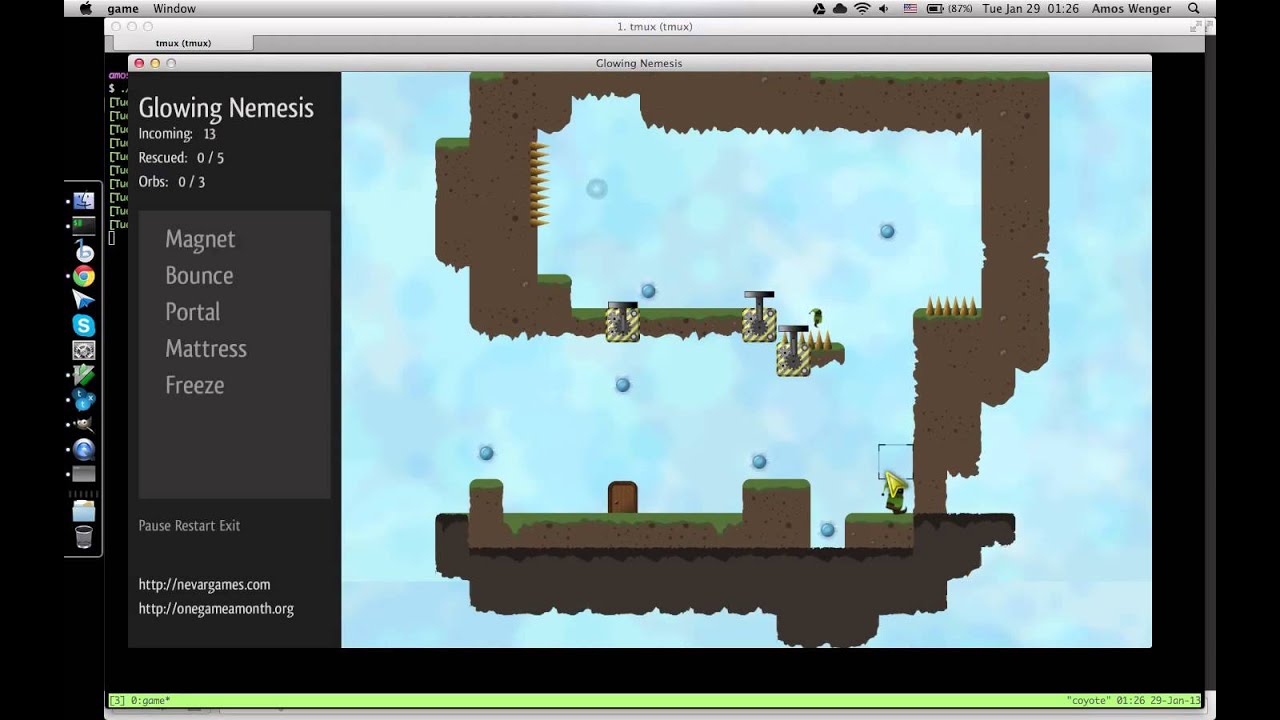
However, January ended too soon, and, sleepless nights notwithstanding, I had to resolve to publish something completely different. It was a good occasion to get to know Twine.
Isaac rubs his back on non-existent doors
Haven’t blogged in a while. Life’s fine, project are a-plenty, but I just wanted to make a more lasting post about one particular issue that struck me as funny when programming Paper Isaac.
Bugs, bugs, bugs
What’s infuriating when letting others play an early prototype is that you hear constantly the same things. Some bugs are non-trivial to fix, some you’re just not motivated to fix now… sometimes you just have your head elsewhere, gotta focus, or are elbow-deep in some other piece of code and the damn walls can wait.

Day 9 (Advent of Code 2022)
The Advent of Code is not a sprint: it’s a marathon: sometimes you’ve got to stop and smell the roses.

I… what? That’s not.. have you done a marathon before?
No, and I haven’t taken any creative writing classes either, I think you can tell. Anyway: Day 8 was a bit aggravating for me. In 2020 I gave up AoC after Day 14 I think, and then I skipped a year. It doesn’t help that it overlaps some holidays and stuff, but!

Day 3 (Advent of Code 2020)
Hello all, and welcome back to Advent of Code 2020, featuring Cool Bear.
Hey y’all!
Let’s get right to it.
The problem statement for Day 3 is as follows: we’re given a map, that looks like this:
..##.......
#...#...#..
.#....#..#.
..#.#...#.#
.#...##..#.
..#.##.....
.#.#.#....#
.#........#
#.##...#...
#...##....#
.#..#...#.#
And we imagine that it repeats infinitely to the right, like so:
Day 1 (Advent of Code 2020)
I was not planning on doing anything specific this December, but a lot of folks around me (on Twitter, at work) have chosen this Advent of Code to pick up Rust, and I’ve got big FOMO energy, so, let’s see where this goes.
I’ll be doing all of these on Linux, so there may be some command-line tools involved, but don’t worry about them - the code itself should run on all platforms no problem.

Making our own spectrogram
A couple months ago I made a loudness meter and went way too in-depth into how humans have measured loudness over time.

Today we’re looking at a spectrogram visualization I made, which is a lot more entertaining!

We’re going to talk about how to extract frequencies from sound waves, but also how my spectrogram app is assembled from different Rust crates, how it handles audio and graphics threads, how it draws the spectrogram etc.
Cross-compilation notes
I’ll keep updating this article as I go, just to put stuff in all the same place.
Platforms
Cross-compiling for Linux
I’m pretty sure it’s possible to cross-compile for Linux on other OSes, seeing as everything is open-source, but I have never done it - and why would I want to? Linux is the friendliest to build on, so it’s better to use it as a build environment.
Twitch fell behind
So you want to do live streams. Are you sure? Okay. Let’s talk about it.
Let’s talk numbers
Being a “content creator” (sorry for those who hate that term) is a job, for sure, and many people do it, successfully, full-time, they pay rent with it etc.
Platforms like Twitch & YouTube would have you think that, if you put in enough effort, you can grow your channel from nothing to 🎉 profitable ✨ in just a few short years.

Doing geo-location and keeping analytics
I sold you on some additional functionality for catscii last chapter, and we
got caught up in private registry / docker shenanigans, so, now, let’s resume
web development as promised.
Adding geolocation
We kinda left the locat crate stubby, it doesn’t actually do any IP to
location lookups. It doesn’t even have a dependency on a crate that can do
that.